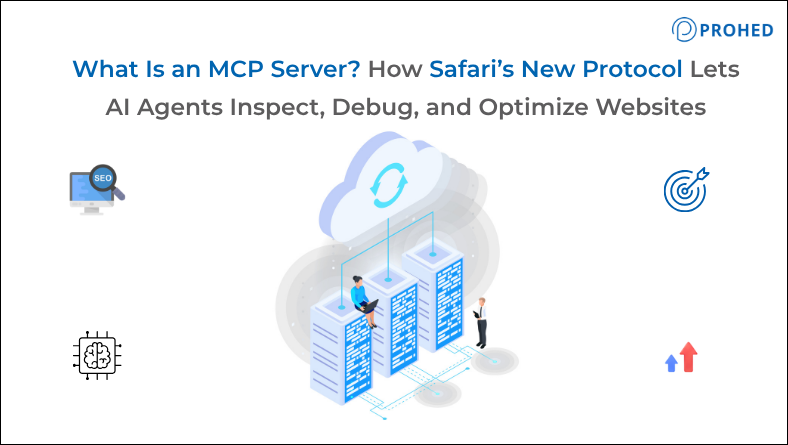
An MCP server acts as a direct bridge connecting AI agents to real-world tools, websites, and data. Instead of just replying to text prompts, an AI using MCP can open a browser, look at a web page, check loading speeds, and find tech problems all on its own without human help. Apple has now built this feature right into Safari Technology Preview 247, giving AI agents 16 tools to control a live browser session. At PROHED, a performance marketing agency in Gurgaon, we see this as a massive update that will completely change how we handle SEO and technical website issues.
Most SEO and development teams share a familiar frustration.
A page has a Core Web Vitals issue. The data is in Search Console. But diagnosing exactly what’s causing it means switching tools, pulling a network waterfall, reproducing the problem in a browser, and then manually describing what’s happening to whoever is going to fix it.
That gap between observation and diagnosis has always slowed technical SEO work down.
Safari’s MCP server closes it. An AI agent can now observe a live browser session directly, identify what’s causing a bottleneck, and surface a specific root cause, all without someone in the middle translating what they’re seeing on screen into a description someone else can act on.
That’s worth understanding properly.
MCP Explained: What the Protocol Actually Does
Model Context Protocol was introduced by Anthropic in late 2024 as an open standard for connecting AI agents to the tools and environments they need to be genuinely useful.
Before MCP, AI assistants operated from whatever text was given to them. They couldn’t independently observe a live environment or interact with external tools. The protocol changes that by creating a standardized communication layer, one end connects to the AI agent, the other connects to the tool or data source, and the protocol handles the translation.
Critically, it’s an open standard. Not proprietary to Apple, not proprietary to Anthropic.
Consequently, the industry has moved quickly. Google Search Console supports MCP. Screaming Frog has MCP integration. WordPress, Shopify, WooCommerce, and Astro all support it. JetBrains shipped a bundled MCP server in IntelliJ IDEA. Brave maintains an official MCP server for its Search API. Anthropic donated the protocol itself to the Linux Foundation’s Agentic AI Foundation, with OpenAI, Google, and Microsoft all publicly endorsing it.
Safari’s implementation is Apple’s second official MCP server in under a month, following the MCPBridge shipped inside Xcode 27 at WWDC in June. Two official servers in three weeks from a single platform vendor signals something specific: MCP is no longer an experiment. It’s becoming standard platform infrastructure.
What Safari’s MCP Server Can Do
The new MCP server for Safari ships with 16 tools accessible to any MCP-compatible AI agent. Together, they give an agent direct access to a live Safari browser session in ways that matter practically for SEO and performance work.
- DOM inspection allows the agent to read the full document object model as Safari is rendering it. This is significant because what a browser renders is often meaningfully different from what exists in the source code, particularly on JavaScript-heavy sites. An agent that can read the actual rendered DOM can identify content that isn’t making it into the crawlable version of a page.
- Network request monitoring lets the agent observe exactly what resources are loading, in what order, and how long each takes. For diagnosing Core Web Vitals issues like LCP or render-blocking requests, this is the most direct data available. Previously, a developer had to open this manually in Safari’s native tools and interpret the waterfall themselves.
- JavaScript execution and console output allow the agent to run scripts inside the live session and read any errors or warnings the browser generates. This surfaces issues that don’t appear in standard crawls or in Chrome-only testing environments.
- Accessibility auditing within Safari is particularly valuable because Safari is the primary browser for VoiceOver, Apple’s screen reader. Accessibility gaps that only manifest in Apple’s WebKit have historically been difficult to catch without dedicated manual testing. An AI agent running automated accessibility checks inside a live Safari session closes that gap.
- Screenshot capture and viewport resizing round out the toolset, allowing the agent to visually verify how pages render across device types without manual reproduction.
The Privacy Architecture That Makes This Different
This is the part that hasn’t received much attention in coverage of this update, and it’s genuinely worth highlighting.
Safari’s MCP server runs entirely on the local machine. It has no access to AutoFill data, no access to browsing history, and no visibility into any other browser activity. When the agent captures page content, screenshots, or console output, that data goes directly to whatever AI the developer is running, not to Apple.
This differs meaningfully from how other major browsers approach AI integration. Microsoft’s Copilot in Edge reads and analyses open tabs via Microsoft’s infrastructure. Google’s Gemini for Mac accesses local files through Google’s model. In both cases, the browser company and the AI company are the same entity.
Apple’s approach separates the two. The browser provides the interface. The developer chooses which AI to trust with the session data. Consequently, what happens to that data depends on the agent and model being used, not on Apple’s infrastructure decisions.
For teams working on client sites, or on pages with commercially sensitive content, that separation matters. It also means the MCP server can be used with any MCP-compatible AI agent, not locked to a single provider.
Why This Matters for Technical SEO and AI SEO Services
The shift that Safari’s MCP server represents isn’t just a developer convenience update. It changes the economics of technical SEO auditing in a specific way.
Until recently, browser-level AI integration depended on community-built tooling. Developers cobbled together connections through Playwright, Chrome DevTools Protocol wrappers, or unofficial MCP servers maintained by volunteers. These worked until they didn’t, breaking unpredictably across browser releases with no vendor support commitments.
An official implementation from Apple updates in lockstep with Safari’s rendering engine. Compatibility is Apple’s responsibility, not a community maintainer’s weekend project.
For SEO teams, this means several things that weren’t practical before:
- Safari-specific Core Web Vitals bottlenecks can be diagnosed without dedicated developer time
- Accessibility compliance in WebKit can be audited automatically rather than manually
- JavaScript rendering gaps that affect how Safari crawls and renders pages can be identified during content production rather than after publishing
- Cross-browser parity between Chrome and Safari can be verified systematically as part of a standard audit workflow
The combined effect is that technical SEO work becomes faster and more thorough, particularly for sites where Safari compatibility has historically been treated as secondary to Chrome optimisation.
Related Read: The AI Overview Effect on CTR in Google Ads: Why More Impressions Now Means Less Revenue
The Bigger Signal: MCP Is Becoming Platform Infrastructure
Safari’s server is notable on its own. However, the broader pattern is what’s most significant for anyone thinking about where AI SEO tooling is heading.
Platform vendors are now building MCP endpoints into their products as standard features rather than relying on community implementations to fill the gap. Apple ships two official MCP servers in a month. JetBrains exposes debugging capabilities to agents via MCP. Google Search Console and Screaming Frog both support it. The protocol is converging into the layer that connects AI agents to everything else.
The comparison that holds up is REST APIs. A decade ago, “does your product have an API?” was a meaningful differentiating question. Today it’s a baseline expectation. MCP is on a similar trajectory, just compressed into a much shorter timeframe.
For SEO and digital marketing teams, the practical implication is this: the competitive advantage in technical SEO is shifting from who has the most experienced developer available for manual debugging, toward who has built the right AI-assisted workflow to catch and fix issues systematically at scale.
At PROHED, technical infrastructure thinking like this sits alongside our broader work in SEO, Performance Marketing, Search Engine Marketing, E-commerce Marketing, and App Marketing. Technical SEO health directly affects how every other channel performs, and tools that make that health easier to maintain at scale deserve serious attention.
Conclusion
What is an MCP server is a question SEO teams, developers, and digital agencies are increasingly asking in 2026. The answer is practical: it’s the standardized protocol that lets AI agents connect to live tools and environments rather than working from text alone.
Apple’s new update brings these testing capabilities right into Safari, making web testing much easier. They have introduced 16 tools that let AI agents inspect page layouts, track network speed, fix JavaScript bugs, check for accessibility, and test visual elements. Everything runs privately and directly on your own device inside a live Safari browser session.
The broader signal matters as much as the specific feature. MCP is moving from community experiment to platform standard. Teams that build AI-assisted debugging and optimisation workflows now are building a systematic advantage that compounds as the tooling matures.
Whether you’re working with one of the leading SEO companies in Gurgaon or evaluating AI SEO services more broadly, you need to ask a crucial question: is your technical workflow built around outdated tools, or the ones becoming standard today? As a data-driven digital marketing agency in Gurgaon, and a partner widely considered the best marketing agency in Gurgaon for growth-focused brands, Prohed builds strategies around where search is going, not where it used to be. Reach out to see how we can integrate AI-assisted technical audits into your growth stack.
Frequently Asked Questions
1. What is an MCP server in simple terms?
An MCP server is a connector that lets an AI agent access live tools, data, and environments rather than working only from typed text. It stands for Model Context Protocol. Through an MCP server, an agent can inspect a live browser, read analytics data, crawl a website, or interact with a developer tool autonomously and in real time.
2. What has Apple shipped with Safari’s MCP server?
Apple’s WebKit team shipped a built-in MCP server in Safari Technology Preview 247, offering 16 tools that give any MCP-compatible AI agent direct access to a live Safari browser window. Capabilities include DOM inspection, JavaScript execution, network monitoring, accessibility auditing, screenshot capture, and viewport resizing.
3. How does Safari’s MCP server handle user privacy?
The server runs entirely on the local machine with no access to AutoFill data, browsing history, or other browser activity. Page content, screenshots, and console logs go directly to the AI agent the developer is running, not to Apple. This separates the browser vendor from the AI provider, giving developers control over which AI handles their session data.
4. Why does Safari compatibility matter for SEO and Core Web Vitals?
Safari holds the second largest global browser market share and is the default browser on all Apple devices. WebKit, Safari’s rendering engine, handles CSS, JavaScript, and HTML differently from Chrome in specific ways that create real performance and compatibility gaps. Core Web Vitals scores and accessibility compliance can differ significantly between the two browsers.
5. How is MCP different from earlier browser automation tools like Playwright?
Earlier tools relied on reverse-engineered browser APIs or community-maintained wrappers with no vendor support commitments. Safari’s official MCP server updates in lockstep with Safari’s rendering engine, meaning compatibility is maintained by Apple rather than a volunteer community. This reliability matters for teams building AI-assisted workflows into standard production processes.
6. Which other tools support MCP alongside Safari?
Google Search Console, Screaming Frog, WordPress, Shopify, WooCommerce, Astro, JetBrains IntelliJ IDEA, and Brave Search all have MCP integrations. Anthropic donated the protocol to the Linux Foundation, with OpenAI, Google, and Microsoft publicly endorsing it, signaling broad industry convergence around the standard.
7. What does Safari’s MCP server mean for accessibility testing?
Safari is the primary browser for VoiceOver, Apple’s screen reader. Accessibility issues that only appear in WebKit have historically required manual testing on Apple hardware. An AI agent running automated accessibility audits inside a live Safari session through the MCP server makes this testing significantly more practical and systematic.
8. How should SEO and digital marketing teams think about MCP going forward?
MCP is moving toward becoming standard platform infrastructure in the same way REST APIs became baseline expectations for software products. SEO teams that build AI-assisted workflows around MCP-connected tools now are building a systematic advantage in how quickly they can identify and fix technical issues. The question is whether your current workflow is built around the tools of two years ago or the ones becoming standard today.
Want to know how AI tools and MCP can boost your website’s traffic and search rankings? Prohed can audit your site’s technical health and build a modern SEO strategy that keeps you ahead of the curve.
Schedule a Free Strategy Call with PROHED Today