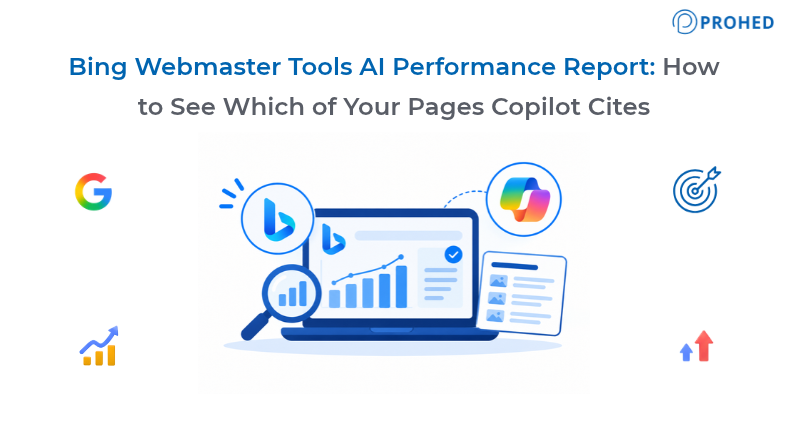
The AI Performance report in Bing Webmaster Tools shows how often Copilot and Bing’s AI summaries cite your pages, and which grounding queries triggered them. PROHED, a technical SEO agency in India, explains how to read and act on it.
For years, SEO reporting stopped at clicks. Then AI answers began citing pages without sending anyone to them, and nobody could say which of yours were being used. Bing now shows you. As of this writing, Google Search Console has no equivalent report, and its AI traffic is counted inside the Web search type.
Key takeaways
- The report is free for any verified site.
- It covers Microsoft Copilot, AI summaries in Bing and select partner products, not ChatGPT or Google AI Overviews.
- The Pages view is the most reliable part. The grounding query list is only a sample.
- Citations aren’t clicks, so pair the report with your own traffic data.
What Is the AI Performance Report in Bing Webmaster Tools?
Microsoft launched AI Performance in public preview in February 2026. It counts how often your content is shown as a source in AI answers across Copilot, AI-generated summaries in Bing and select partner integrations. Microsoft calls it an early step toward Generative Engine Optimization tooling.
It doesn’t measure rankings, authority or clicks. A citation only means your page appeared as a source. Bing’s share of search in India is also far smaller than Google’s, so treat the data as a signal about which pages AI systems trust, not a traffic forecast.
How to Set Up Bing Webmaster Tools and Verify Your Site?
- Sign in at bing.com/webmasters and add your site. The quickest route is importing your verified properties from Google Search Console. Otherwise, verify with a DNS record, a meta tag or an XML file.
- Submit your XML sitemap and turn on IndexNow if your platform supports it.
- Check that robots.txt isn’t blocking Bingbot. Copilot cites what Bing has indexed, so blocking Bingbot blocks citations too.
Very small or new sites may see little or nothing at first.
Bing AI Performance Report Metrics Explained
| Metric | What it shows |
|---|---|
| Total citations | How often your pages were shown as a source in AI answers |
| Cited pages | Unique pages cited, with a daily average |
| Grounding queries | The phrases the AI used when retrieving your content |
| Intents and topics | AI-assigned labels that group the grounding queries |
| Citation share | Your share of citations shown for a grounding query |
| Compare | Two date ranges side by side |
Intents, topics, citation share and Compare were added after the first launch, so you may see the report change again.
What Are Grounding Queries?
Grounding queries are the key phrases the AI used when it searched for content to cite. They aren’t the exact prompts people typed, and they’re grouped into short phrases.
They’re also a sample of overall citation activity. One published walkthrough found 8,200 citations over six months but only two visible grounding queries. If your list looks thin, that’s normal and not a penalty.
How to See Which Copilot Citations Your Pages Get?
- Open AI Performance in the left menu and set the date range to six months.
- Switch List By to Pages. This view doesn’t depend on query sampling.
- Sort by citations and group your pages by type, such as guide, tool, product page or blog post. The winning type shows you what to build more of.
- Filter by a page or a query to see how the two connect. You can filter by one at a time.
- Use Compare to match the last 30 days against the previous 30 and spot rising and falling pages.
- Export every month. Bing only shows the history it holds, and your own folder of CSVs is the best long-term record.
How to Act on Copilot Citation Data?
| What you see | What to do |
|---|---|
| One page type dominates citations | Build more pages in that format |
| A non-branded grounding query | Tighten the answer on the cited page, with a clear answer near the top, a table and a current date |
| Low citation share on your brand name | Fix your About page, Organization schema and brand profiles |
| A page losing citations | Refresh facts, data and examples |
| The same page cited under two URLs | Redirect to one version, set a canonical tag and resubmit through IndexNow |
| Key pages missing from the list | Check indexing in URL Inspection |
Citations aren’t visits. To see whether cited pages also earn traffic, compare the report with your Google Search Console performance data and GA4.
Limits of the Bing Webmaster Tools AI Report
- Microsoft only: ChatGPT, Gemini, Perplexity and Google AI Overviews need a separate check. Our guide to tracking your brand’s visibility in ChatGPT and Gemini covers the method.
- No clicks and no competitors: Citation share shows how much of a query you hold, never who holds the rest.
- Sampled: Totals for the chart, queries and pages won’t match exactly, so use the report for trends.
- Still in preview: Metrics and labels may change.
Where Bing Webmaster Tools GEO Data Fits
The report is the only first-party view of AI citations from a search engine today. But it covers one ecosystem. Treat it as one data point inside a wider generative engine optimization (GEO) programme, alongside prompt tracking on other assistants.
How PROHED Uses AI Citation Data?
We set up and verify Bing Webmaster Tools next to Search Console, export the AI Performance data monthly and read it with GA4 and prompt tracking. The cited pages tell us what to build, and the missing ones usually point to indexing or structure problems. Our AEO services tie that work to leads and revenue, not just citation counts.
Conclusion
The report won’t tell you everything about AI search, but it’s free and it shows which of your pages AI already trusts. Verify your site, read the Pages view first, use Compare monthly and export the data.
If you’re comparing the best technical SEO agency in India, the best SEO agency in Gurgaon or the best digital marketing agency in India for growth, PROHED is built for this brief. We run technical SEO, AEO and GEO work together and report it against leads and revenue.
FAQs
1. What is the AI Performance report in Bing Webmaster Tools?
It’s a report that shows how often Copilot and Bing’s AI summaries cite your pages, which pages they cite and the grounding queries behind them. Microsoft launched it in public preview in February 2026.
2. Is the report free and who can use it?
Yes, it’s free for any site verified in Bing Webmaster Tools. Very small or new sites may see little data at first.
3. Does it show ChatGPT or Google AI Overviews citations?
No. It covers Microsoft Copilot, AI summaries in Bing and select partner integrations only. You’d need other tools to check ChatGPT, Gemini and Google AI Overviews.
4. What are grounding queries?
They’re the key phrases the AI used when retrieving content to cite, grouped into short phrases and not the user’s exact prompt. They’re also a sample, so many sites see few or none.
5. How do you act on the citation data?
Start with the Pages view, then build more of the page types that win citations. Refresh pages that lose citations, fix duplicate URLs, and check indexing for important pages that are missing.
Want to know which of your pages AI already cites? Book an AI search audit with PROHED and we’ll show you your Bing, Search Console and AI visibility gaps in one report.
Schedule a Free Strategy Call with PROHED Today