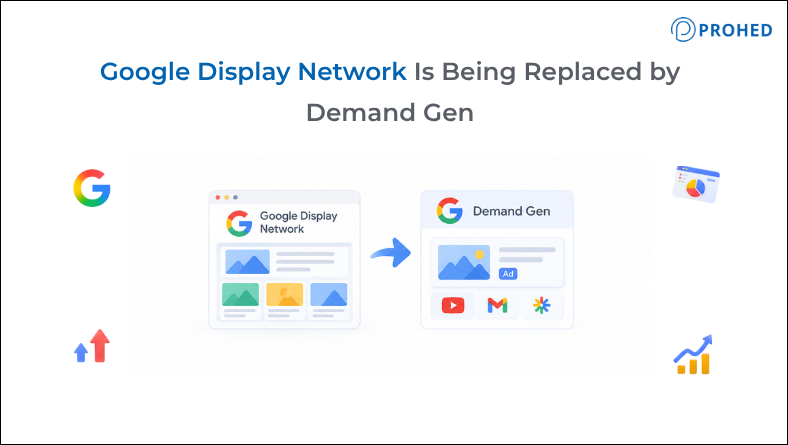
Google is quietly retiring one of the oldest ad formats in its ecosystem, and most advertisers haven’t noticed yet. The Google Display Network, the banner and image ads that have followed you around the internet since 2003, is being folded into Demand Gen, Google’s newer AI-driven campaign type. If your account still runs standalone Display campaigns, this affects you whether you opt in or not. PROHED, a performance marketing agency in India managing Google Ads accounts across categories, is already migrating client campaigns ahead of the deadline rather than waiting for Google’s automatic switch.
What’s Actually Changing With Google Display Network
Google Display Network isn’t disappearing as inventory. The 2 million-plus sites and apps that make up GDN are still there, and ads will keep showing on them. What’s changing is the campaign type that controls them. Starting mid-2026, Google Display Ads campaigns can be migrated into Demand Gen using a built-in migration tool, and eventually, new Display-only campaigns won’t be creatable at all. Any campaign left unmigrated will be moved automatically, whether or not an advertiser has reviewed it first. That last part matters more than it sounds, since an automatic migration carries over settings, but not judgment. A campaign built five years ago with outdated exclusions or a mismatched bid strategy just gets copied as-is into a new environment.
Migration Timeline at a Glance
Phase | What Happens |
Migration tool live | Eligible advertisers can move existing Display campaigns to GDN within Demand Gen manually, with performance history carried over |
New campaign creation restricted | New Google Display Ads campaigns can only be built inside Demand Gen going forward |
Automatic migration | Any remaining eligible Display campaigns get moved to Demand Gen without advertiser action |
How Demand Gen Differs From Standalone Display Ads
The core difference isn’t really about display ads strategy changing overnight. It’s about scope. A standalone Display campaign only touched GDN, YouTube, and Gmail. Demand Gen reaches GDN alongside YouTube, Discover, Gmail, and Maps, all from a single campaign built around one audience and one creative set.
Feature | Google Display Ads | Demand Gen |
Inventory reach | GDN, YouTube, Gmail | GDN, YouTube, Discover, Gmail, Maps |
Creative formats | Responsive and uploaded display ads, basic feeds | Adds carousel ads, generative image tools, wider video formats |
Audience tools | Standard remarketing, custom segments, contextual targeting | Adds Lookalike segments to expand reach from existing customers |
Bidding | Supports Manual CPC and Viewable Impressions | Neither supported; Target CPC replaces Manual CPC |
What Advertisers Gain by Moving to Demand Gen
A few genuine upgrades come with the shift:
- Reach across Discover and Maps, inventory standalone Display campaigns never touched.
- Lookalike segments, an evolution of Similar Audiences, built to find new customers resembling existing ones.
- A broader creative toolkit, including carousel ads and generative image tools for faster asset production.
- Format-level reporting, showing performance broken down by placement rather than one blended number.
Related Read: Google’s New PMax Network Control: Should You Opt Out of Search Partners and Display Network?
What Gets Left Behind
Not everything carries over cleanly:
- Manual CPC bidding isn’t supported in Demand Gen; accounts relying on it need to shift to Target CPC or an automated strategy first.
- Viewable Impressions and Pay for Conversions bidding models aren’t available either.
- Brand Lift and Search Lift measurement studies don’t currently support GDN within Demand Gen campaigns.
- Bid adjustments, seasonality adjustments, and portfolio bidding aren’t carried over, so campaigns using these need a review before migration, not after.
How to Migrate Without Losing Performance History
Google recommends the built-in migration tool over manually rebuilding campaigns from scratch. Manually recreating a Display campaign inside Demand Gen means starting from zero, no historical data, a fresh learning phase, and a real risk the new campaign competes against the old one for the same auction. The migration tool avoids that by porting up to 42 days of performance history, cutting the learning phase to roughly one to two days instead of weeks.
A few practical steps make the transition smoother:
- Filter campaigns by type before migrating, so Display-only campaigns are handled as a batch rather than one at a time.
- Review bid strategy first, since Manual CPC and a few others need to change before migration, not during.
- Expand creative assets ahead of the move, since Demand Gen rewards a wider range of formats, including video.
- Avoid building a duplicate campaign in Demand Gen alongside an unmigrated Display campaign, since the two will compete against each other.
- Monitor closely for the first week after migration, since some fluctuation in delivery is normal as the campaign settles in.
Where PROHED Fits Into This
As a performance marketing agency in India, PROHED treats this kind of platform shift as routine account maintenance, migrating eligible accounts on its own timeline rather than waiting for Google’s automatic switch. That includes auditing bid strategies for anything that won’t carry over, expanding creative assets ahead of the move, and checking exclusions before, not after, the migration runs. For brands comparing digital marketing services in Gurgaon or a performance marketing service more broadly, this is worth asking a prospective partner about directly, since it separates agencies reading Google’s documentation closely from ones finding out from a client first.
Conclusion
Google Display Network isn’t going away, but the campaign type built around it is. Accounts that migrate deliberately, reviewing bid strategy and creative before the move, tend to come out with better reach and cleaner reporting than the ones that wait for Google’s automatic migration to handle it for them. Waiting isn’t really a neutral choice here. It just means Google makes the decisions instead of you.
FAQs
1. What is happening to the Google Display Network?
Google Display Network inventory itself isn’t disappearing. The campaign type that manages it is changing, moving from standalone Google Display Ads campaigns into Demand Gen, Google’s broader campaign format that also covers YouTube, Discover, Gmail, and Maps.
2. Do I have to migrate my Display campaigns manually?
Not necessarily. Google will eventually auto-migrate any remaining eligible campaigns without advertiser action. Migrating manually with the built-in tool first is generally the safer route, since it lets you review settings and bid strategy before the switch rather than after.
3. Will my campaign performance drop after migrating to Demand Gen?
Some short-term fluctuation is common in the first several days as the campaign settles into its new environment. Using the migration tool rather than rebuilding from scratch helps minimize this, since it carries over recent performance history instead of starting from a cold learning phase.
4. What happens to campaigns using Manual CPC bidding?
Manual CPC isn’t supported in Demand Gen, so these campaigns need to shift to Target CPC or an automated bidding strategy before migrating. Leaving this unaddressed until the automatic migration runs can create avoidable disruption.
5. Is Demand Gen the same as Performance Max?
No, though the two share some automation logic. Performance Max spans nearly all of Google’s ad inventory, including Search, while Demand Gen is focused specifically on visual and video-first placements: GDN, YouTube, Discover, Gmail, and Maps.
6. Can I still run a Display-only campaign after this change?
Yes, in the sense that channel controls inside Demand Gen can be limited to GDN only. What’s changing is where that campaign gets built, inside the Demand Gen campaign type, rather than as a separate standalone Display campaign format.
7. How long does the migration process actually take?
The migration tool itself typically completes within a few minutes per batch, though Google recommends not migrating more than 100 campaigns at once. The bigger time investment is usually the pre-migration review: checking bid strategies, exclusions, and creative assets before making the switch.
8. Should I migrate now or wait for Google’s automatic migration?
Migrating proactively is generally the better call. It gives you control over timing, lets you fix anything that won’t carry over cleanly, such as unsupported bid strategies, and avoids the disruption of an unplanned automatic switch during a period when you might not be watching the account closely.
Ready to Migrate Your Display Strategy the Right Way?
Waiting for Google to auto-migrate your campaigns means accepting whatever gets carried over, gaps included. Talk to PROHED’s paid media team about reviewing and migrating your Google Display Ads campaigns to Demand Gen before the automatic switch reaches your account.
PROHED is a performance marketing agency in India offering digital marketing services in Gurgaon, including a dedicated performance marketing service for brands navigating platform changes like this one across Google Ads and Meta.
Schedule a Free Strategy Call with PROHED Today